


How to Automate BOM Generation and Eliminate Costly Engineering Errors
A bad BOM rarely surfaces in CAD — it shows up three weeks later on the shop floor or in a rush purchase order. Learn where BOM errors actually originate, the four ways to automate generation, and the validation rules that catch mistakes before release.
By DevWorks Automation Team · September 15, 2026 · 17 min read
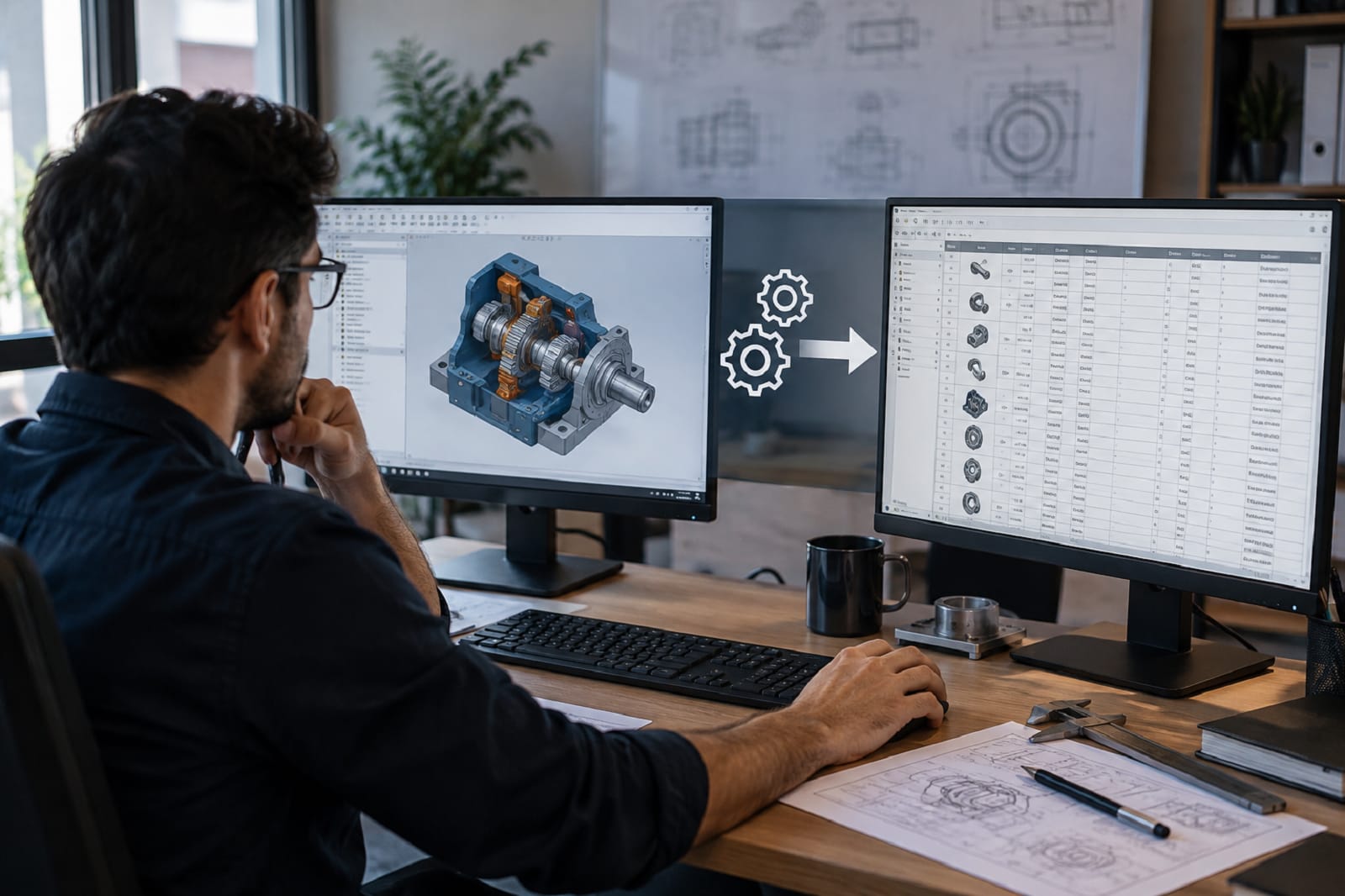
A bad bill of materials rarely announces itself in engineering. It shows up three weeks later on the shop floor, when an assembler opens a box of the wrong bracket. Or it shows up in purchasing, when someone orders 400 of a part that was quietly superseded two revisions ago.
By that point, the fix is no longer a five-minute edit. It is a rush order, a rescheduled work cell, a scrapped sub-assembly, and an uncomfortable conversation with a customer about a date you already promised.
Most manufacturers already know the BOM is the problem. What is less obvious is which part of the BOM process to automate first, and how to do it without handing control of engineering release to a system nobody trusts.
This guide covers four things: where BOM errors actually originate, the four ways BOMs can be generated automatically, a practical implementation sequence, and the validation rules that catch mistakes before release instead of after production starts. BOM generation sits inside the wider discipline of engineering design automation, but it is worth treating on its own, because it is usually where the errors surface first.
How do you automate BOM generation?
Automating BOM generation means connecting an authoritative source of product data to a rules-driven generation step, a validation layer, and a controlled release into ERP. A dependable approach combines automated generation with validation rules, revision control, and a human approval gate before anything reaches manufacturing.
What is automated BOM generation?
Automated BOM generation is the process of deriving a bill of materials directly from an authoritative source, such as a CAD assembly, a product configurator, or a rules engine, instead of typing or copying it into a spreadsheet by hand.
The system reads the structure and metadata that already exist in the design. That includes part numbers, quantities, materials, descriptions, and assembly hierarchy. It then applies your company's rules and produces a structured BOM that can be validated and pushed into ERP or PLM.
The important shift here is not speed. It is single-sourcing. When the BOM is derived rather than re-entered, a design change automatically produces a BOM change, and the two can no longer drift apart without anyone noticing.
That principle is what separates real automated BOM generation and validation from a faster export. An export still leaves you with two copies of the truth. A derived BOM leaves you with one.
Why BOM errors become expensive
BOM errors are costly because of when they are discovered, not because of how complicated they are. The same mistake carries a very different price at each stage of the process.
| Where the error is caught | Typical consequence |
|---|---|
| In CAD, before release | A few minutes of engineering time |
| At release or validation | A rework loop and minor schedule impact |
| In purchasing | Wrong parts ordered, expediting fees, carrying cost |
| On the shop floor | Line stoppage, scrap, rework labor, re-inspection |
| After shipment | Field service, warranty exposure, customer credibility |
This is why the placement of validation matters more than raw generation speed. Producing a BOM in four seconds instead of four hours is useful. Producing a wrong BOM in four seconds is worse than doing nothing, because the error now travels downstream faster than any human can intercept it.
So the practical goal of BOM automation is narrower than simply saving time. The goal is to move error detection as far upstream as possible, and to make that upstream source the only place the data lives.
Where BOM errors actually come from
Before choosing a tool, it helps to identify which failure mode you are dealing with. Most engineering teams have two or three of the following, not all six. If you are still working out whether the process is ready for automation at all, our guide to the 5 signs your manufacturing workflows are ready for automation is a good place to sanity-check that first.
Manual transcription between systems
Someone exports from CAD, reformats the data in Excel, then re-keys it into ERP. Every hop is an opportunity for a dropped digit, a wrong unit of measure, or a quantity that never got updated. This is the most common source of BOM errors and usually the easiest one to remove.
Revision drift
The 3D model sits at Rev C. The drawing's parts-list table is still at Rev B, because updating that table is a separate manual step that gets skipped under deadline pressure. Whichever document gets read first becomes the accepted truth, and the two quietly disagree.
Inconsistent part data
The same fastener exists three times under three part numbers with three different descriptions, because three engineers created it independently. Automation will faithfully reproduce all three unless the underlying library is cleaned up first.
Configuration errors on made-to-order products
An option combination that is technically selectable but not actually buildable makes it through quoting. The BOM generated from that configuration is internally consistent and completely wrong.
A broken eBOM to mBOM handoff
Engineering releases a design structure, but manufacturing needs a build structure. That build structure includes consumables, packaging, assembly sequence, and restructured phantom levels. When the transformation between the two is manual, it has to be repeated for every revision, and the two versions diverge over time.
Change orders that fail to propagate
A part gets superseded. The change reaches the drawing, but not every assembly where that part appears. Some BOMs update and some do not, which is the hardest version of this problem to detect.
The four approaches to automated BOM generation
Not every manufacturer needs the same method. The right choice depends on how much of your product is repeatable and where the authoritative data already lives.
| Approach | How the BOM is produced | Best fit | Main limitation |
|---|---|---|---|
| CAD-derived extraction | Reads the assembly tree and custom properties from the CAD model | Engineer-to-order and standard products already modeled in 3D | Only as good as the metadata discipline in your models |
| Rules-based or configurator-driven | A rules engine builds the BOM from selected options, often generating CAD and drawings at the same time | Configurable products with defined option logic | Requires upfront rule definition and ongoing maintenance |
| Template or parametric expansion | A master BOM template expands using formula-driven quantities and conditional lines | Products that vary mainly by size, length, or capacity | Struggles with genuine structural variation |
| AI-assisted document extraction | Models interpret drawings, PDFs, or scanned legacy documents to propose a BOM | Legacy drawings, supplier documents, inbound RFQ packages | Output is a proposal and needs human confirmation |
In practice, most mature implementations combine two of these. A common pattern for configurable machinery is rules-based generation for the configured portion of the product, CAD-derived extraction for the engineered-to-order portion, and a single validation layer that both feed into before anything reaches ERP.
The extraction route depends entirely on how disciplined your models are, which is why it usually sits alongside broader CAD design automation work rather than standing on its own.
If your product is genuinely configurable, product configuration automation is usually the higher-leverage place to start. It fixes the error at the point of selection rather than catching it at the point of release. Platforms such as DriveWorks generate models, drawings, and BOM data from a single set of engineering rules, and our article on what DriveWorks is and whether it fits your business covers where that approach works well and where it does not.
A typical BOM automation workflow
Once generation is automated, the BOM moves through a defined sequence of stages rather than bouncing between inboxes and spreadsheets.
| Stage | What happens | Owner |
|---|---|---|
| CAD or configurator | Structure, quantities, and properties are captured at source | Engineering |
| BOM generation | Rules derive the BOM from that source | Automated |
| Validation | Structural, data, lifecycle, and business rules run | Automated |
| Review and approval | Exceptions reviewed, release candidate approved | Engineering |
| PLM and change management | Revision state and effectivity recorded | Engineering or PLM |
| ERP and MRP | Released BOM available for planning and purchasing | Operations |
| Manufacturing | Build executed against the released structure | Production |
The exact architecture depends on where the authoritative product data already lives, so the stage names will vary between a PLM-centered shop and one that runs CAD straight into ERP.
How to automate BOM generation, step by step
The order of these steps matters more than most teams expect. Projects that begin with software selection tend to stall. Projects that begin with data discipline tend to ship.
1. Pick one product family, not the whole catalog
Choose a family with meaningful volume and a reasonably stable structure. You want enough repetition to prove the value, and enough complexity that the result is credible to skeptics. Trying to cover everything on day one is the most reliable way to produce a pilot that nobody adopts.
2. Fix the part data before you automate anything
Automation amplifies whatever you feed it. Before generating a single BOM, agree on a few things across the team:
- A single part-numbering scheme, and what happens to legacy numbers
- The properties required on every part, such as description, material, unit of measure, make or buy, and supplier reference
- Naming and description conventions, including what is not allowed
- A duplicate resolution rule, so everyone knows which record survives when the same item exists twice
This step is unglamorous, and it is where most of the actual value gets created.
3. Decide what the single source of truth is
For each data field, name exactly one system that owns it. CAD might own structure and quantity. ERP might own cost, supplier, and lead time. PLM might own revision state and approval. Ambiguity here reproduces the exact synchronization problems that automation was supposed to remove.
4. Define your generation rules explicitly
Write down every decision the automation has to make on its own:
- Which components appear on the BOM and which are suppressed, such as hardware kits, weldment members, and reference geometry
- How phantom and virtual components are handled
- How quantities are derived, whether by instance count, cut length, area, or weight
- How purchased assemblies are collapsed
- How configuration selections map to specific part numbers
If an engineer currently makes these calls from experience, that experience is your specification. Capture it before anyone writes code.
5. Build the validation layer
This is the step most implementations shortchange, and it is the one that actually prevents expensive errors. The next section covers the rules worth building first.
6. Automate the eBOM to mBOM transformation
Engineering structure and manufacturing structure are different documents with different purposes, so the transformation between them deserves its own logic. PLM platforms support this directly. PTC, for example, documents a downstream structure generation action for deriving a manufacturing BOM from a design BOM using customizable rules. Whether you use built-in PLM functionality or a custom integration, define the transformation once so that every future revision inherits it.
7. Integrate to ERP with an audit trail
The handoff should be a controlled release event, not a file drop into a folder. At a minimum, log what was transferred, when, by whom, from which revision, and what the system rejected. When a discrepancy surfaces six weeks later, that log is the difference between a ten-minute answer and a two-day investigation. If the boundaries between your systems are unclear, our breakdown of MRP vs ERP vs MES is a useful reference point.
8. Keep a human approval gate
Automation should produce a release candidate, not an irreversible release. An engineer reviews the exceptions and approves. Over time that exception list shrinks, and the rate at which it shrinks is your best evidence that the rules are correct.
The validation rules that actually prevent errors
A generated BOM should be checked automatically on every submission. These are the checks worth implementing first, roughly in order of return.
Structural checks confirm the BOM holds together as a structure:
- Every line item has a valid, existing part number
- No duplicate line items within the same assembly level
- No orphaned components or broken parent-child links
- Hierarchy depth stays within expected bounds
Data-integrity checks confirm each line is complete and plausible:
- Required properties are populated, including material, description, unit of measure, and make or buy
- Unit of measure is consistent with the quantity type, whether each, length, or mass
- Quantities are non-zero, non-negative, and realistic for the product family
- Part number format matches the company standard
Lifecycle and revision checks confirm the BOM is current:
- No obsolete or superseded parts appear on a released BOM
- All referenced components sit at an approved revision state
- The BOM revision matches the model and drawing revision
Business-logic checks confirm the BOM is actually buildable and sellable:
- Configuration selections form a valid, buildable combination
- Purchased items have an active supplier record
- Long-lead components are flagged at release rather than at purchasing
- Cost-relevant fields exist for every line that feeds quoting
Each rule should produce one of three outcomes: pass, warning, or block. Deciding which rules block a release is a business decision rather than a technical one, and it should be made deliberately with both engineering and operations in the room.
Rule-based generation paired with real-time validation is the core of BOM automation and validation work. It means extracting component data directly from CAD or configurator output, then running checks for missing part numbers, unit-of-measure mismatches, duplicates, and non-conforming specifications before anything reaches manufacturing.
Handling engineering changes without breaking the BOM again
Most BOM automation projects succeed at initial generation and then struggle at change management. The reason is simple: the first release is a project, while every change after that is a process.
Design a change path that answers three questions automatically.
Impact
Which assemblies, products, and open orders contain the changed component? The system should return that list on its own, including work already in progress, rather than relying on someone to remember where the part was used.
Propagation
Which BOMs update automatically, and which ones require engineering judgment? Direct replacements can propagate on their own. Anything that changes fit, interface, or cost should stop for review.
Effectivity
From which date, serial number, or order does the change apply? Decide this at the point of approval, because settling it later means reconciling orders that were already released under the old structure.
A change that updates the top-level BOM but leaves three sub-assemblies stale is arguably worse than no automation at all, because the team now believes the data is correct. If your change process currently runs on email threads and status meetings, that workflow problem needs solving alongside the tooling, which is the territory of engineering workflow automation rather than BOM tooling alone.
What you should not automate
Balanced expectations are part of a working implementation, and a few things are better left alone.
Unstable or one-off designs are the first. If the product changes fundamentally every time, rule maintenance costs more than the manual effort it replaces.
Genuine engineering judgment is the second. Material substitution under supply constraints, tolerance trade-offs, and manufacturability calls belong with engineers.
Processes nobody has agreed on are the third. Automating a disputed process makes the dispute permanent and much harder to see.
Dirty part libraries are the fourth. Automation will not clean your data. It will scale the mess.
AI-extracted BOMs from unverified drawings are the fifth. Document-interpretation models produce proposals, and on legacy scans, ambiguous callouts, and inconsistent title blocks, that output needs confirmation before it becomes a released BOM.
A reasonable rule of thumb: automate the parts of the process that are repeatable and expressible as rules, then instrument the rest so exceptions stay visible.
How to measure whether it worked
Set a baseline before you start, or you will have no way to defend the investment later. These measures tend to be the most useful:
- Engineering hours per BOM release, tracked by product family
- Number of BOM-related change orders and rework loops per month
- BOM error escapes found in purchasing, on the floor, and after shipment
- Time from design release to availability in ERP
- Quote turnaround time for configured products
- Percentage of generated BOMs that pass validation with zero manual correction
That last measure is the most diagnostic one. If it climbs steadily, your rules are converging on how the business actually works. If it plateaus at a low number, the rules are wrong, not the concept.
What drives the cost of a BOM automation project
There is no meaningful list price for this kind of work, because the scope is driven by your systems rather than by a product SKU. A handful of variables move the cost more than anything else:
- Data readiness, meaning how much part-library cleanup is needed before anything can be generated
- The number of product families, and how much rule logic each one requires
- The CAD environment, and how much useful metadata already exists in the models
- ERP and PLM integration complexity, including whether the target system is standard or heavily customized
- The eBOM to mBOM transformation rules, and how many exceptions exist
- The number of validation rules, and how much of that logic is specific to your business
- Change management, including training, documentation, and rollout across engineering and operations
- Ongoing maintenance, since rules are living artifacts that need an owner
The usual pattern is that integration and data cleanup consume more of the budget than BOM generation itself. Teams that budget only for the generation step tend to be surprised.
Frequently Asked Questions
How long does it take to automate BOM generation?
It depends on data readiness and integration scope. A single product family with clean data can take a few weeks, while multi-system integrations across a broad catalog typically run into months. The largest variable is usually part-library cleanup rather than software configuration.
Can automated BOMs integrate with SAP, Oracle, or Dynamics?
Yes. BOM automation commonly integrates with SAP, Oracle, Microsoft Dynamics, and other major ERP and PLM platforms, with custom connectors used for proprietary or legacy systems. The important design decision is which system owns which field, not which connector you choose.
What is the difference between an eBOM and an mBOM?
An eBOM, or engineering BOM, describes the product as designed, including the functional structure, specifications, and materials defined by engineering. An mBOM, or manufacturing BOM, describes the product as built, reorganized for production and enriched with assembly sequences, tooling, consumables, and packaging. Automating the transformation between the two is often where the largest gains sit.
Does BOM automation require PLM?
No. PLM helps at scale, particularly for revision control and multi-domain BOMs, but many manufacturers automate successfully using CAD-derived generation, a rules engine or configurator, and a direct ERP integration. PLM becomes compelling when revision governance across many domains is the real constraint.
Can AI generate a BOM from a drawing?
AI models can extract component information from drawings, PDFs, and 3D models and then propose a BOM, which is genuinely useful for legacy documents and inbound RFQ packages. Treat that output as a draft requiring validation. For live design data, deriving the BOM from the CAD model or configurator rules remains more reliable than interpreting a document that describes it.
Will automation eliminate BOM errors completely?
No. It eliminates a specific and large class of errors, including transcription mistakes, revision drift, and missed propagation. It also moves the remaining errors upstream, where they are cheaper to fix. Errors in the underlying rules, part data, or design intent still need engineering review, which is why a human approval gate stays in the process.
Is BOM automation worth it for low-volume, high-mix manufacturers?
Often yes, and sometimes more so than for high-volume producers. High-mix environments generate more BOMs per unit of revenue and carry more configuration risk. The test is repeatability of process, not volume of product.
Where to start
If you are evaluating this internally, the most useful first move is not a software demo. It is a two-week look at your last twenty BOM-related issues, covering where each error originated, when it was caught, and what it cost to correct.
That exercise almost always points to one specific handoff, whether that is CAD to ERP, configuration to engineering, or engineering to manufacturing. Whichever handoff it is, that is where automation pays first.
From there the sequence is straightforward. Clean the part data, define the rules, build validation, then automate generation, in that order.
Working through a repetitive BOM process that keeps producing errors downstream? DevWorks Automation works with manufacturing and engineering teams to map the existing workflow, define generation and validation rules, and connect CAD, configurator, and ERP systems so that BOMs are derived once and checked before release.
Talk with us about your BOM workflow, or see how rules-first configuration produced quote-ready designs and how CAD generation kept engineers in control in comparable engagements.