


DriveWorks Implementation
DriveWorks is design-automation software for SOLIDWORKS (not a DevWorks product). DevWorks Automation implements and supports DriveWorks for manufacturers in the United States and Canada.
- Who: DevWorks Automation (implementer)
- What: DriveWorks (third-party SOLIDWORKS software)
- How: implementation, configuration, support
DriveWorks
Implementation Services
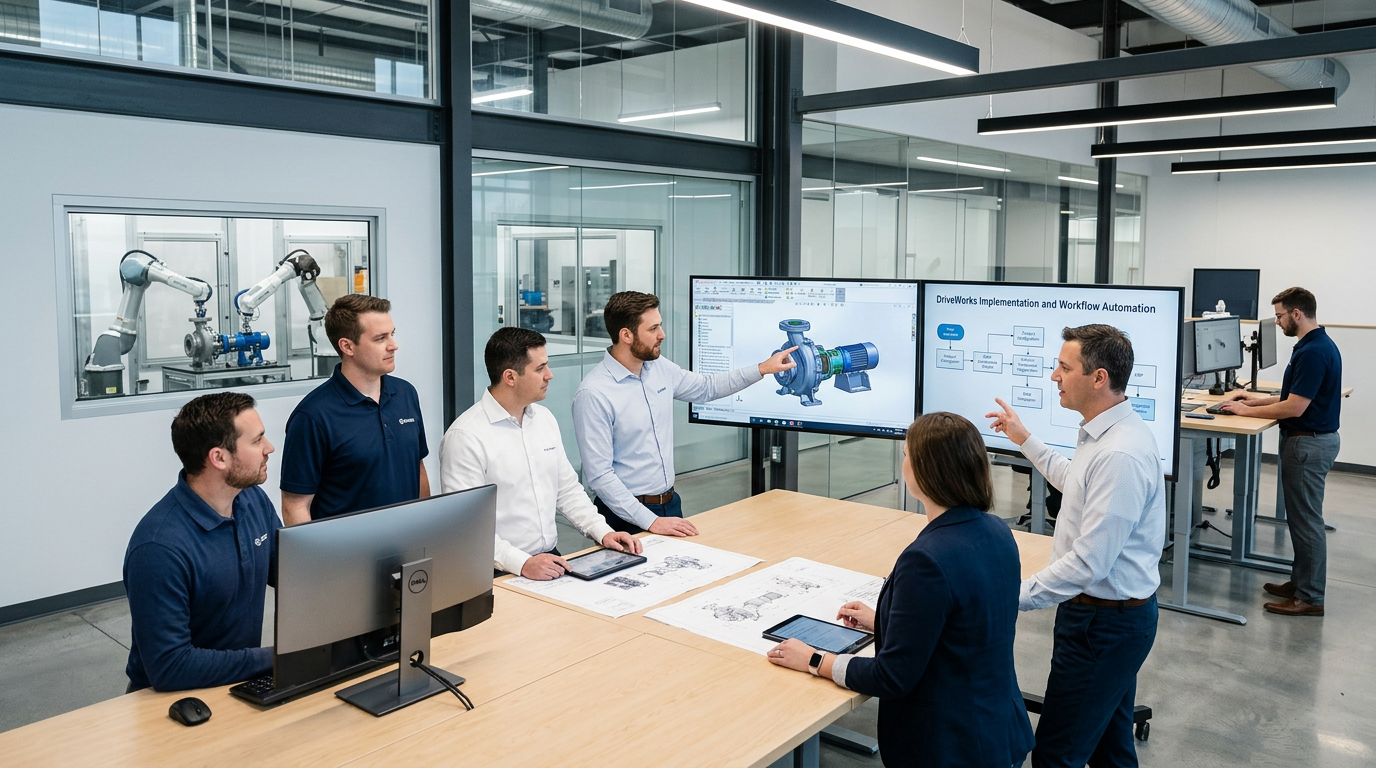
We deliver end-to-end DriveWorks solutions, including implementation, integration, support, and custom product configurators for various industries.
Our automation reduces design cycles by up to 85%, streamlining the creation of models, drawings, quotations, and technical documents while minimizing errors in production.
With 8+ years of expertise, we provide scalable, plug-and-play solutions that simplify workflows and free your team to focus on innovation.
DriveWorks Features Description
We deliver intelligent engineering automation solutions that streamline design, validation, documentation, and workflow processes.


CAD Automation
Automate the creation of 2D drawings, 3D models, and bills of materials using intelligent parametric and design time.
Auto-generation of 2D drawings & 3D models
Parametric modeling
Template-based drawing automation
BOM auto-generation

Design Rule Automation
Ensure every design meets standards and compliance requirements with automated rule-based validation and real-time error checking.
Rule-based validation
Compliance checking
Standard enforcement automation

API & Software Integration
Seamlessly connect CAD systems with ERP and PLM platforms to enable smooth data flow and eliminate manual data entry.
CAD + ERP integration
PLM automation
Data synchronization systems

Custom Engineering Tools
Build tailored engineering applications such as configurators, quotation systems, and web dashboards to streamline operations and decision-making.
Configurators
Quotation automation tools
Web-based engineering dashboards

Workflow Automation
Seamlessly connect CAD systems with ERP and PLM platforms to enable smooth data flow and eliminate manual data entry.
Design approval automation
Version control workflows
Engineering change automation
DriveWorks Features Description
Explore powerful features designed to automate design, streamline workflows, and simplify product configuration. From SOLIDWORKS automation to system integration save time, and deliver customized products faster with greater efficiency.

Complete SOLIDWORKS Automation
Capture and reuse design, manufacturing, and costing knowledge to deliver custom products faster—without complex macros or configurations.
Online Visual Sales Configurator
Allow teams and customers to configure products anytime, on any device, while reducing errors and lead time.
Interactive 3D
Enable real-time 3D product configuration with an intuitive preview experience.
System Integration
Seamlessly connect with ERP, MRP, and CRM systems to reduce manual data entry and improve accuracy.
Intelligent Workflow
Control approvals, permissions, and processes with smart workflow automation.
Automated Document Generation
Generate quotations, BOMs, drawings, and documents in multiple formats automatically with custom branding.
DriveWorks Implementation Process
At Design and Automation Services, our engineers streamline your DriveWorks implementation to automate design-to-manufacturing workflows and significantly reduce engineering lead time.
01
Needs Assessment
We start with a detailed evaluation of your current processes to identify inefficiencies, improvement areas, and high-impact automation opportunities.
02
Custom Configuration
Our experts tailor DriveWorks to your exact design requirements, ensuring smooth integration with your existing systems and workflows.
03
Training and Support
We deliver hands-on training to empower your team, along with ongoing support to resolve challenges and ensure maximum utilization.
04
Testing and Validation
Before deployment, we conduct rigorous testing to verify accuracy, performance, and reliability, making refinements where needed.
05
Launch and Monitoring
Post-launch, we continuously monitor performance, gather feedback, and optimize the system to drive long-term efficiency.
What we offer
From planning and implementation to optimization and support, we provide complete DriveWorks services that simplify automation and help you scale with confidence.
Complete setup and configuration of DriveWorks tailored to your business needs, ensuring a smooth and efficient automation rollout.
Strategic planning and expert guidance to map your automation roadmap and set your DriveWorks project up for success.
We take over and optimize existing DriveWorks projects, improving structure, performance, and long-term maintainability.
Ongoing support and proactive maintenance to keep your DriveWorks solution running reliably as your needs evolve.
We design a scalable, well-organized project structure that keeps your configurators easy to extend and maintain.
Get up and running fast with a guided quick-start setup tailored to your team and existing workflows.
In-depth analysis of your current setup to identify bottlenecks and unlock greater speed and efficiency.
Dedicated maintenance support to resolve issues quickly and keep your automation performing at its best.
Hands-on foundational training to help your team confidently build and manage DriveWorks projects.
Advanced training covering complex configurations, integrations, and best practices for power users.
Benefits of DriveWorks Implementation with Design & Automation Services
DriveWorks Implementation Services in your organization can revolutionize your design and automation processes. Here's how DriveWorks Implementation Services can benefit your business:

Enhanced Design Automation
Increased Efficiency
Automate repetitive design tasks and processes to reduce manual effort and save valuable time. This allows your team to focus on innovation rather than routine work.
Consistency and Accuracy
Maintain consistent design outputs with rule-based automation, minimizing errors and ensuring high-quality results across all projects.

Why Choose DriveWorks?


Automate Repetitive Tasks
Automate complex design and documentation processes to save time and reduce manual effort.

Increase Accuracy
Ensure consistent, error-free outputs with rule-based automation integrated into your CAD systems.


Customizable Solutions
Tailor DriveWorks to match your unique business needs and workflows with flexible configurations.
Frequently asked questions
No. DriveWorks is design-automation software for SOLIDWORKS made by a third party. DevWorks Automation implements and supports DriveWorks for manufacturers in the United States and Canada; we do not sell DriveWorks as our own product.
Discovery of your SOLIDWORKS models and rules, configuration of DriveWorks for quoting and/or design automation, integration with ERP or other systems where needed, training, and ongoing support. DriveWorks remains third-party software; DevWorks Automation implements and supports it.
DriveWorks licensing is purchased from DriveWorks or an authorized reseller. DevWorks Automation implements, customizes, and supports DriveWorks after you have (or as you obtain) a license.
Manufacturers using SOLIDWORKS who configure or engineer-to-order products and want rules-driven models, drawings, BOMs, and quotes without repeating the same CAD work on every order.
What Our Clients Say

“We rolled out a unified analytics platform on a practical timeline. Production planners finally see the same numbers as finance, and weekly review meetings are shorter.”
Manufacturing operations leader
United States
“The machine learning models DevWorks built for us reduced unplanned downtime on critical lines. The team delivered clear documentation and stayed involved through the first production release.”
Engineering leader
United States
“They helped us move off spreadsheets without breaking existing workflows. Our engineers adopted the dashboards faster than any prior IT project we have run.”
Data and operations leader
United States
“Predictive maintenance alerts now reach supervisors before equipment fails, so the plant can act on issues before they become stoppages.”
Plant operations leader
United States
“The data pipeline work was thorough and practical. We get near real time visibility into inventory and supplier performance without adding manual reporting steps.”
IT leader
United States