


CAD Design Automation Services
CAD Design Automation uses rule-based logic and parametric modeling to automatically generate designs, drawings, and documentation. It eliminates repetitive tasks, ensuring faster and more consistent engineering outputs—helping teams work faster with accurate, scalable results.
- Who: DevWorks Automation
- What: CAD design automation for manufacturers
- How: rules, parametric models, drawings, and documentation

Why CAD Design Automation?
Choosing precision laser cutting services isn't just about getting parts cut. It's about gaining a manufacturing advantage that reduces costs, accelerates timelines, and elevates product quality.

Faster Design Process
Generate complex designs in seconds instead of hours.

Error Reduction
Minimize human errors with rule-driven automation.

Consistency & Standardization
Ensure every design follows company standards.
Cost Efficiency
Reduce engineering effort and operational costs.
Scalability
Handle bulk design variations effortlessly.
Improved Productivity
Free engineers to focus on innovation.
Our CAD Design Automation Services
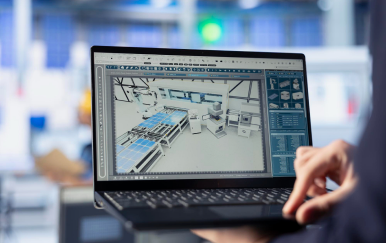
Parametric CAD Modeling
Create flexible, rule-driven models that automatically update based on input parameters and design changes.

Rule-Based Design Automation
Automate repetitive design tasks using predefined rules to generate accurate and consistent outputs instantly.

Automated Drawing Generation
Generate 2D drawings, layouts, and documentation directly from 3D models without manual effort.

BOM (Bill of Materials) Automation
Automatically create and update BOMs with accurate components, quantities, and specifications.
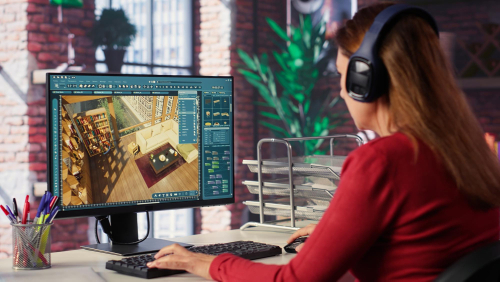
CAD Template Development
Develop standardized templates to ensure uniformity and speed across all design projects.
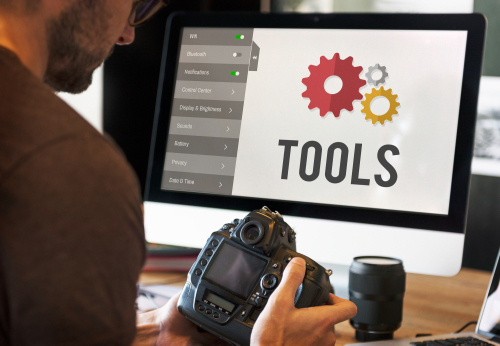
Design Configuration Tools
Build smart configurators that allow users to customize products and generate designs in real time.

Integration with ERP/PLM Systems
Seamlessly connect CAD automation with ERP and PLM systems for smooth data flow and process efficiency.

Custom CAD Plugins & Macros
Develop tailored plugins and macros to extend CAD capabilities and automate specific workflows.
Our Automation Process
Requirement Analysis
Understand your design workflows & challenges.
Rule Definition
Define design logic and automation rules.
Development & Integration
Build automation within your CAD environment.
Testing & Validation
Ensure accuracy and reliability.
Deployment & Training
Implement and train your team.
Industries We Serve
We provide CAD design automation solutions tailored to a wide range of industries, helping businesses streamline complex design processes, improve accuracy, and accelerate product development across diverse engineering domains.
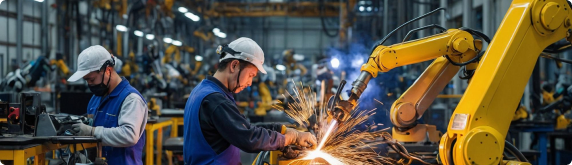
Manufacturing
Automate complex product designs and streamline production workflows with accurate, rule-driven CAD solutions.
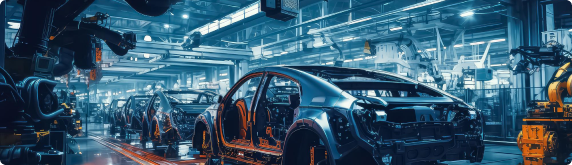
Automotive
Enhance vehicle component design with automated modeling, improving speed, precision, and design consistency.

Construction & Architecture
Simplify structural and architectural design processes with automated layouts, drawings, and documentation.
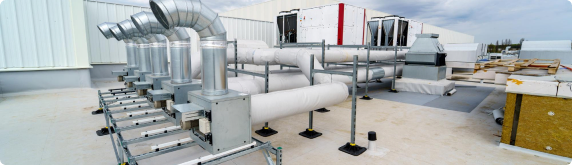
HVAC Systems
Automate HVAC design configurations to quickly generate accurate system layouts based on project requirements.
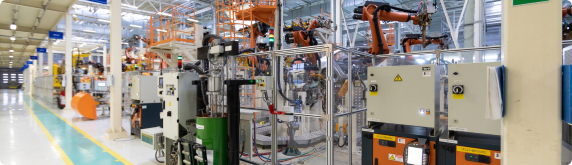
Industrial Equipment
Optimize the design of custom machinery and equipment with scalable and efficient CAD automation.
Tools We Work With

SolidWorks + DriveWorks

AutoCAD

Inventor

API Integrations
What Our Clients Say

“We rolled out a unified analytics platform on a practical timeline. Production planners finally see the same numbers as finance, and weekly review meetings are shorter.”
Manufacturing operations leader
United States
“The machine learning models DevWorks built for us reduced unplanned downtime on critical lines. The team delivered clear documentation and stayed involved through the first production release.”
Engineering leader
United States
“They helped us move off spreadsheets without breaking existing workflows. Our engineers adopted the dashboards faster than any prior IT project we have run.”
Data and operations leader
United States
“Predictive maintenance alerts now reach supervisors before equipment fails, so the plant can act on issues before they become stoppages.”
Plant operations leader
United States
“The data pipeline work was thorough and practical. We get near real time visibility into inventory and supplier performance without adding manual reporting steps.”
IT leader
United States
Frequently asked questions
CAD design automation uses rules, templates, and parametric models to generate 3D models, 2D drawings, and manufacturing documentation automatically—so engineers spend less time on repetitive CAD work.
We work with common mechanical CAD platforms used in manufacturing, including SOLIDWORKS. Automation can include custom macros, design tables, templates, and rules-driven model generation.
Automation encodes the rules you already follow so each new size or option regenerates models and drawings consistently. It scales output without linearly scaling headcount, and it reduces transcription errors between sales, engineering, and the shop floor.
Typical inputs are sample models, drawing standards, option matrices or design tables, and a clear list of variants you quote today. We map which rules belong in CAD versus which belong in downstream systems.
No. We keep engineers in control of the master models and standards. Automation applies your rules; it does not replace engineering judgment for one-off or developmental work.
A focused workflow (one product family or drawing set) often lands in weeks. Broader programs that span multiple product lines or ERP handoffs take longer and are phased so you see output early.
Yes. We can train your team, document the rules, and retain us for updates as products and standards change.