


Machine Installation 3D Animation Services for Industrial Equipment: Scope, Process and Cost
Machine installation 3D animation services create step-by-step 3D visual instructions showing how industrial equipment is unloaded, positioned, anchored, leveled, connected and commissioned at the customer site. Using CAD data and approved installation procedures, these animations help technicians understand sequence, orientation, clearances and critical steps before working on the actual machine.
By DevWorks Automation Team · October 2, 2026 · 20 min read
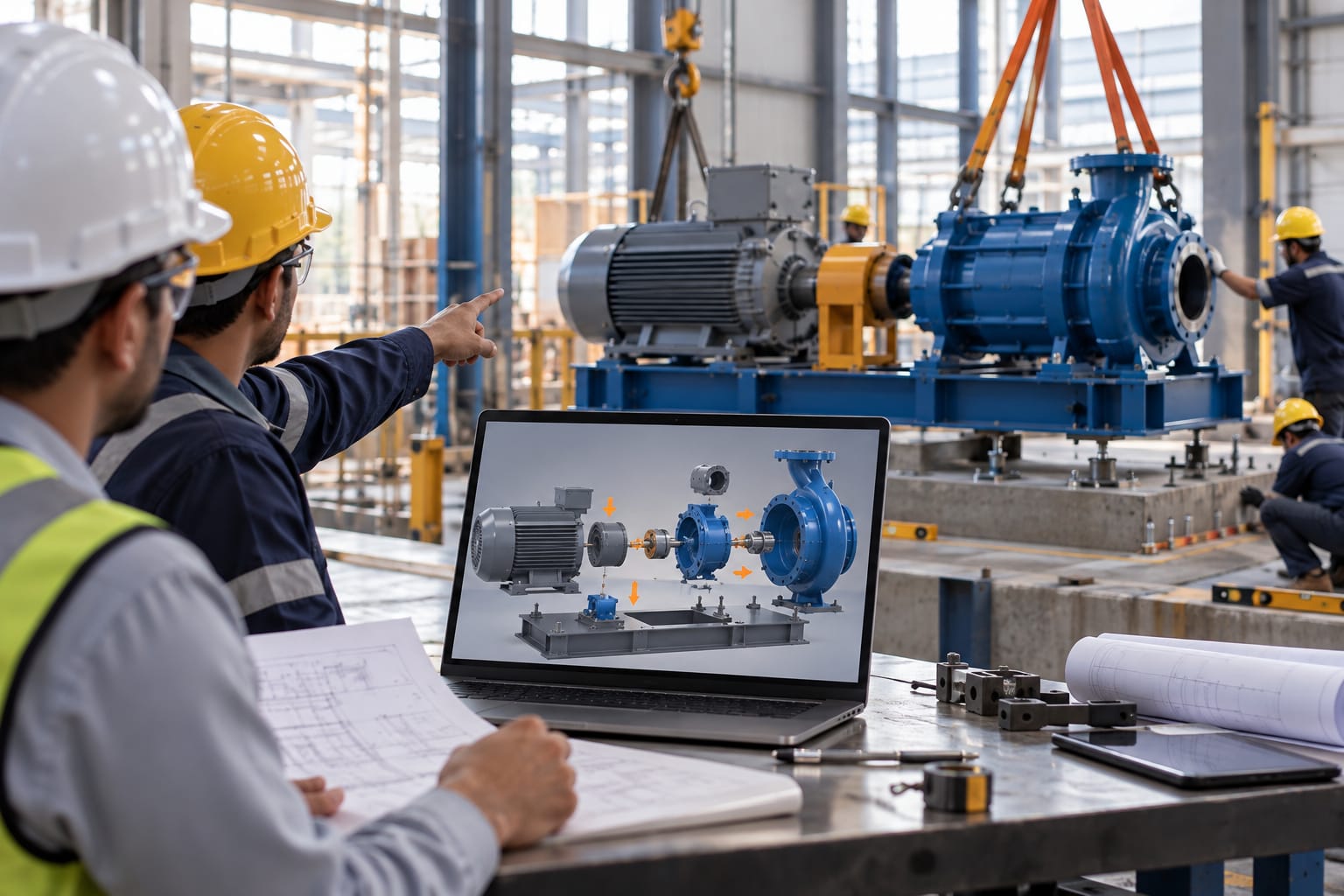
When a packaging line, press or process skid ships to a customer site, the machine is only half the deliverable. The other half is getting off the truck, onto a foundation, leveled, connected and running, usually by a millwright crew, a contractor or a distributor technician who has never seen that model before.
Most OEMs hand that crew a PDF installation manual: isometric line drawings, torque tables, a utility schedule, a page of warnings. It is accurate and almost nobody reads it properly. The predictable results are lift points misused, anchors set before the baseplate is checked, services routed where a guard door needs to swing, and a commissioning engineer flown out to fix something the manual already explained.
A machine installation 3D animation is the alternative that most equipment makers already have the data for. The CAD model that produced the machine can also produce a step-by-step visual sequence of how it goes in.
This guide covers what that animation contains, how it is built from existing CAD, what it costs in effort rather than headline price, where it does not help, and what to ask a provider before committing budget. It is written for the person who has to justify the spend, not for the person who will render it.
What Are Machine Installation 3D Animation Services?
Machine installation 3D animation services turn a machine's CAD data into an animated, step-by-step sequence showing how the equipment is unloaded, positioned, fixed, connected and brought into service at a customer site. The output is a work instruction in video form, not a marketing film.
The distinction matters commercially, because the two are quoted, reviewed and reused differently.
A marketing or product animation answers why should I buy this machine. It shows the equipment running, uses cutaways and hero lighting, and is judged on whether it holds attention.
An installation animation answers how do I put this machine in without damaging it or hurting someone. It shows the machine stationary and being acted upon slings, shims, anchor bolts, conduit, pipework, panels, fasteners, hands and tools. It is judged on whether a technician who has never seen the equipment can follow the sequence and get the same result.
In practice, the installation animation inherits a lot from technical documentation. It follows the approved installation procedure step by step, uses the same step numbering as the manual, calls out the same torque values and clearances, and goes through the same engineering sign-off. The 3D is a delivery format for information your service and documentation teams already own.
One consequence is worth stating early: if the written installation procedure is incomplete or disputed internally, the animation will expose that before it solves anything. Some projects stall because the animation forces the first honest conversation about what the official sequence actually is.
Why Traditional Installation Documentation Falls Short
Installation manuals are not badly written. They fall short for structural reasons that rewriting alone does not fix.
The Reader Is Not the Person Who Wrote the Manual
The manual is written by engineers for a competent installer. The person on site is often a general contractor's millwright, a distributor's technician in another country, or the customer's own maintenance team doing their first install of this model. Their baseline is not your baseline.
Spatial Sequence Does Not Survive in 2D
A drawing shows where a part ends up. It does not show the order of operations, the approach angle, what has to come off first, or which side needs two meters of clearance. Installers reconstruct that from experience, and when the machine is unfamiliar the reconstruction becomes a guess.
Configured Machines Break a Single Manual
Equipment sold through a configurator ship in many variants. The manual covers the base machine plus appendices, and the installer has to work out which pages apply to the serial number in front of them.
Language and Reading Conditions Vary
Text-heavy procedures degrade in translation, and again when the reader is skimming on a phone in a noisy plant.
Feedback Does Not Reach Engineering
When a crew improvises a step, that improvisation becomes local practice. If nobody tells the OEM, the manual is never corrected and the next crew improvises differently.
The cost of all this lands in places rarely attributed to documentation: commissioning engineer travel, warranty claims for damage that occurred before power-up, start-up delays that push revenue recognition, and support calls answering the same three questions. Before scoping an animation, pull your last twelve installations and count how many of those events trace back to something the manual technically already said.
What Does an Installation Animation Cover?
Most published articles stop at "it shows assembly." The useful question is which phases of the install you are paying to animate, because each phase adds scope and each one can be dropped.
- Receiving and unloading: Crate contents, lift points, sling angles, center of gravity, forbidden lifting surfaces, and where to set the machine down temporarily. Unloading is where the most expensive damage happens, and it is the cheapest phase to animate.
- Site and foundation preparation: Required floor loading, foundation or plinth geometry, anchor bolt pattern and projection, leveling tolerance, service entry points, and the clearance envelope needed for doors, drawers and maintenance access, not just the machine footprint.
- Positioning and setting: Route into the building, rigging path, how the machine is lowered onto shims or isolators, and the order in which modules are set when the line ships in sections.
- Anchoring and leveling: Shim stacking, leveling sequence and reference surfaces, anchor type, torque sequence and values, and the re-check after grouting or after the line is loaded.
- Module joining and alignment: For multi-section equipment: joining frames, aligning conveyor transfer points, coupling shafts, setting gaps, and the order that avoids cumulative misalignment down the line.
- Utility connection: Electrical supply and grounding, pneumatics, hydraulics, water, steam, dust extraction, data and safety circuits. Routing matters as much as termination; showing the intended route prevents conduit from being run across an access panel.
- Guarding, safety devices and final fitting: Light curtains, interlocks, fencing, e-stops, panels and covers refitted in the right order.
- Pre-power checks and commissioning: What to verify before first power-up, the start-up sequence, initial runs, and the handover checks that close the install.
A full eight-phase animation for a complex line is a substantial project. A common and more defensible first scope is to animate phases 1, 4 and 6 only: unloading, anchoring and utility connection. Those three carry most of the damage, rework and support-call risk. The rest of the procedure stays in the controlled manual until the first version proves its value.
How an Installation Animation Is Built From CAD
The production work is the visible part. The part that decides whether the animation is usable in the field is the procedure capture and the engineering review around it.
- Scope the procedure: Agree what the animation starts and ends with, whether that is delivery on a truck, a prepared foundation or a commissioned machine, and who watches it. A millwright crew, a distributor's service technician and a customer's maintenance team need different levels of detail.
- Collect source data: Native CAD or neutral geometry (STEP, Parasolid, JT), the general arrangement and foundation drawings, the utility schedule, the existing installation manual, lifting points and weights, and any site photographs or video from past installations.
- Capture the real procedure: Sit with the service engineers who actually do the install. The sequence in the manual is often not the sequence used on site, and the shortcuts and gotchas they describe are the content that makes the animation worth producing.
- Prepare the model: Engineering assemblies carry far more detail than an animation needs. Fasteners and internal geometry get simplified or suppressed, component hierarchies are reorganized so sub-assemblies move as units, and anything missing from CAD, such as shims, lifting beams, slings, a floor, a pit, a mezzanine or the operator, is modeled or sourced.
- Block the sequence: Rough motion first, with no materials or lighting, reviewed as an animatic. Errors in order of operations are cheap to fix here and expensive to fix after rendering.
- Animate, then annotate: Motion paths, tool access, clearances and hand positions are built out, and the annotation layer goes on top: step numbers, part identifiers, torque and shim values, orientation cues, and warnings at the points where the procedure can go wrong.
- Technical review and sign-off: Engineering and service review the sequence against the real procedure and the safety documentation. This is a formal gate, not a courtesy. An animation that shows an unsafe lift or an impossible access route should not reach final delivery.
- Render, localize and package: Final renders, voice-over or on-screen text in the required languages, chaptered segments per step, and the delivery formats the field actually uses: a file that plays offline on a tablet, a QR-coded clip per manual section, an embedded player in the service portal.
Steps 3 and 7 are the ones buyers underestimate. A provider who quotes without seeing your CAD or speaking to the people who run the installs is pricing a video, not a work instruction.
What Are the Deliverables?
The exact package from a 3D animation project depends on scope, but a typical one delivers:
- A master installation animation
- Chaptered or step-specific clips matched to installation stages
- Technical still frames for reuse in manuals and service documentation
- Annotated installation views showing part IDs, torque values, clearances and orientation
- Multilingual on-screen text, subtitles or voice-over
- Offline-ready files for field use
- Web or service-portal versions where required
- Source scene files and prepared 3D assets, where included in the agreement
Agree these before production starts. For service and documentation teams, the still frames and chaptered clips often carry more day-to-day value than the master video.
Visual Techniques That Do the Work
Installation animation borrows its vocabulary from technical illustration rather than from film. Knowing the techniques lets you specify what you want instead of accepting whatever the studio's house style produces.
- Exploded views separate an assembly along its axes to show joining order and which fastener goes where. Useful for module joining and final fitting, less useful for anything involving a crane.
- Ghosting and transparency make housing semi-transparent so a technician can see the anchor pocket, the shim stack or the terminal they are reaching for behind a panel.
- Isolation and dimming push everything except the active component into gray, which is how you stop a viewer losing the step inside a machine with four thousand parts.
- Motion trails and direction arrows show approach angles and travel path, which is the information a static exploded view cannot carry.
- Installer-eye camera places the view where a person actually stands. Hero angles from below the floor or above the roof line look impressive and help nobody.
- Clearance envelopes render the required working space as a translucent volume, which communicates "you need two meters here" far faster than a dimension on a plan.
- Color coding by utility keeps electrical, pneumatic, hydraulic and data runs distinguishable in a sequence where six services land within a minute of each other.
- Callout layers carry torque values, part identifiers, shim thicknesses and warnings, and are the part most likely to need updating when the design changes. Ask for them on a separate layer for that reason.
Common Mistakes in Installation Animation
These are the failures that turn a funded project into a video nobody opens twice.
- Animating the manual instead of the procedure: If the source is only the written document, the animation inherits every gap the document already has. The field sequence and the documented sequence are rarely identical.
- Leaving out the tooling: An animation where a module glides into position with no sling, no spreader bar, no forklift and no hands shows the result, not the method. The equipment doing the work is the content.
- Hero cinematography: Dramatic lighting, sweeping cameras and glossy materials signal marketing. Technicians read that as a brochure and stop treating it as an instruction.
- One long video: A fourteen-minute file is unusable on a plant floor. Chapter it to the manual's step numbers so someone can jump to the anchoring step while standing next to the anchor.
- No site context: A machine on an infinite gray plane removes the exact information the installer lacks: how it relates to the floor, the pit, the wall and the service routes.
- Skipping the engineering gate: An unvalidated animation showing an unsafe lift is worse than no animation, because it carries the authority of something your company published.
- Not planning reuse: The model preparation is most of the cost. If nobody scoped the still frames, exploded views, maintenance sequences and training clips that the same prepared assets could produce, you paid for all of it and used a fraction.
3D Installation Animation vs. Other Installation Documentation
Animation is one option among four, and it is not always the right one. The honest comparison looks like this.
| Factor | Illustrated PDF | Filmed installation video | 3D installation animation | Interactive 3D / AR |
|---|---|---|---|---|
| Source needed | Drawings, photos | A real machine and a real site | CAD geometry | CAD geometry plus app or web build |
| Available before first build | Yes | No | Yes | Yes |
| Internal and hidden detail | Limited | Limited | Strong | Strong |
| Rigging, clearance, site context | Limited | Yes, for that one site | Yes, for any site you model | Yes |
| Handling product variants | Separate documents per variant | Refilm per variant | Re-render from configured CAD | Variant switching in the viewer |
| Translation changes | Text re-layout | Re-record or re-subtitle | Swap text or voice track | Swap text or voice track |
| Design changes | Low-cost document revision | Expensive refilm | Re-animate affected steps | Moderate, depends on build |
| Typical upfront effort | Lowest | Low to moderate | Moderate to high | Highest |
| Works offline on a plant tablet | Yes | Yes | Yes | Depends on the build |
The pattern most equipment manufacturers end up with is not a replacement but a pairing: the manual stays as the controlled document of record, and the animation carries the steps where sequence, orientation and clearance are what people get wrong. Filmed videos remain better for anything that depends on feel, sound or judgment that geometry cannot show, such as a technician listening to a drive during run-in.
Interactive and AR delivery is worth considering once the underlying animated procedure exists and has been validated. The 3D asset is the expensive part; the viewer around it is a later decision.
When Does an Installation Animation Make Sense?
The business case is rarely "our manual looks dated." It is usually one of these five situations.
Installation Is Done by People Who Do Not Work for You
Distributors, local contractors, millwright crews and customer maintenance teams install the machine once and may never see another. They have no accumulated familiarity to fall back on, and the quality of your documentation is the only thing standing between them and a mistake.
You Send Engineers to Site More Often Than You Planned To
If a meaningful share of commissioning visits exist because the install was done wrong rather than because the contract required attendance, the travel and engineer time is already a recurring cost. Animation attacks the cause.
You Are Exporting into Several Language Markets
A procedure carried mostly by motion and callouts localizes far more cheaply than a procedure carried by paragraphs, and the translation risk drops with it.
The Equipment Ships in Modules and Is Assembled on Site
Production lines, large presses, conveyor systems, packaging lines and process skids have an order of operations that is genuinely hard to convey in static views. This is the case where animation does something the drawings cannot.
The Machine Is Configurable, and No Two Units Are Identical
This is where installation animation intersects with design automation. If a configurator already generates the CAD for each order, the geometry for a unit-specific install sequence exists at the moment the order is released. The work becomes a repeatable template applied to configured models rather than a bespoke video per customer. Manufacturers running product configuration automation or CAD design automation are closer to this than they usually realize.
If none of the five describes your situation, a better-illustrated manual is probably the higher-return investment, and an honest provider will say so.
What You Need to Supply Before Work Can Start
Most schedule overruns on these projects trace back to inputs, not to animation. Assemble this first.
- Geometry: Native CAD (SolidWorks, Inventor, Creo, NX, Solid Edge) or a neutral export such as STEP, Parasolid or JT. Native files preserve the assembly structure, which saves rework when parts need to move independently.
- The site context: Foundation and general arrangement drawings, floor plans, pit or plinth details, and the utility entry schedule. Without this information, the animation may show the machine without the surrounding context that field crews need.
- The real sequence: The current installation manual, plus access to one or two service engineers for a working session. This is often the highest-value input because the actual site procedure may differ from the written documentation.
- Rigging and handling data: Machine weights, centers of gravity, approved lift points, sling and spreader-bar requirements, and any surfaces that must not be used for lifting or support.
- Torque, shim and tolerance values: Any technical value shown as an on-screen number should come from a controlled engineering source rather than an animator's assumption.
- Safety and compliance documentation: The documents and requirements governing the installation procedure in the relevant markets, so the animation remains consistent with approved documentation.
- Delivery requirements: Required languages, where the files will be hosted or distributed, whether they must work offline, and whether the animation should be chaptered to match installation manual sections.
Two questions decide most of the preparation effort. Is the CAD a complete as-shipped assembly, or a set of design models that were never reconciled? And does any model of the surrounding site exist at all? A clean as-built assembly plus a foundation drawing is a materially cheaper starting point than a folder of part files and a PDF.
What Affects Cost and Timeline?
Published prices for this work are close to meaningless, because two projects described with the same words can differ by an order of magnitude in effort. What you can do is understand the variables, so you can read a quote and compare proposals on scope rather than on headline price.
The cost drivers, roughly in order of impact:
- How much of the procedure you animate. Three critical phases cost far less than a complete unloading-to-commissioning sequence.
- The state of the CAD. Clean, well-structured as-shipped assemblies reduce preparation time. Design-intent models with suppressed configurations, missing hardware or unreconciled revisions increase it.
- How much does not exist in CAD. Slings, lift beams, shims, tooling, the building, the foundation, the operator. Every element modeled from scratch is added effort.
- Number of distinct moving sub-assemblies. Driven by the machine, not by video length.
- Annotation density. Torque values, part callouts and warnings each need sourcing, placement and review.
- Variants. One machine, or a configured family that needs a re-render per configuration.
- Languages and delivery formats. Each language and each output format adds production and QA work.
- Review rounds. Engineering sign-off is necessary; open-ended revision cycles are what inflate budgets. Agree the number of rounds up front.
On schedule, the dependency that moves the date is rarely rendering. It is the availability of your service engineers for the procedure session and of your engineering team for technical review. Book those two commitments before the project starts and the timeline usually holds.
One scoping note worth raising with any provider: ask how much of the cost is re-incurred when the machine design changes next year. A provider who structures the project so individual steps can be re-animated without rebuilding the whole piece is offering something meaningfully different from one who treats each video as a one-off.
Limitations Worth Knowing Before You Commit
An animation does not replace a controlled document: In most regulatory and contractual contexts the manual remains the document of record. The animation supports it. Plan for both to exist and to stay in agreement, which is a governance task as much as a production task.
It ages with the design: A machine that changes every revision cycle will leave the animation wrong unless someone owns updating it. Decide who owns that before the first version ships.
Engineering validation is still required: Geometry does not enforce load ratings, pinch points or lockout requirements. Only engineering review does. Treat an unvalidated animation as a draft.
It cannot convey feel: Torque by hand, run-in noise, vibration, and the judgment a technician applies when something does not seat correctly are not visible in geometry.
No site is identical: Showing a specific building risks implying clearances or routes a given customer does not have. A neutral but realistic context, with clearance envelopes stated as requirements rather than as a depicted floor plan, is usually the safer choice.
Adoption is not automatic: An animation nobody can find on a plant floor with poor connectivity changes nothing. Decide how it reaches the technician, whether that is an offline file, a QR code in the manual or the service portal, at the start of the project rather than at the end.
Who Uses Installation Animation?
Industrial equipment and machinery OEMs: Companies building machines that ship in sections and need site assembly, alignment, utilities or specialized lifting.
Automation companies and global equipment suppliers: Businesses whose equipment is installed by distributors, system integrators or third-party technicians, often across several language markets.
Service and documentation teams: Teams responsible for installation, commissioning and maintenance procedures that depend on spatial sequence, positioning and visual guidance rather than text alone.
How to Evaluate a Provider
Showreels are a weak signal here. A studio can produce a beautiful machine animation and still produce an installation sequence that a millwright would reject. Ask questions that separate visual capability from procedural capability.
- What CAD formats do you take, and what do you do with them? You are listening for a specific answer about assembly structure, simplification and reorganizing hierarchies, not "send us anything."
- Who on your side talks to our service engineers, and when? If procedure capture is not in their process, the output will be a prettier version of the manual's existing errors.
- How do you handle technical review and sign-off? There should be a named gate before rendering, and an animatic stage where sequence errors are cheap to fix.
- Show me an installation sequence, not a product film. Specifically one with rigging, anchoring or utility connection in it. The difference is immediately visible.
- How are revisions handled when the machine design changes? Ask whether individual steps can be re-animated independently.
- How do you handle variants? If your product is configurable, ask directly whether they can work from configured CAD rather than re-quoting per unit.
- What do we own at the end? Source scene files and prepared models, or only rendered video. This determines your cost on every future change.
- What do you deliver beyond the video? Chaptered segments, still frames for the manual, exploded views and language variants often carry more day-to-day value than the master film.
One structural question sits underneath all of these: is the provider an animation studio that occasionally does industrial work, or an engineering organization that also animates? Both can produce good results, but they fail differently. Studios tend to produce visually strong work with procedural errors. Engineering-led teams tend to produce accurate work that needs pushing on clarity. Knowing which you are buying tells you where to concentrate your review effort.
Key Takeaways for Machine Installation 3D Animation
Machine installation 3D animation is worth doing when the people installing your equipment are not the people who built it, and when the cost of them getting it wrong shows up as damage, rework, warranty claims or an engineer on a plane. The return comes from fewer support calls and faster commissioning, not from a better-looking website.
The decisions that determine whether it works are made before anyone opens an animation package: which phases of the procedure you cover, how good your CAD and foundation data are, whether your service engineers are in the room during procedure capture, and who signs off the sequence. Scope those well and the production is the straightforward part.
If your equipment is configurable, the question is broader than animation. The same CAD structure that makes configured models reliable is what makes unit-specific installation content practical instead of prohibitive, which puts this work alongside your product configuration and CAD automation strategy rather than beside your marketing budget.
If you are scoping installation or assembly animation for industrial equipment and want to work through the procedure, the CAD readiness and a realistic phased scope, talk to DevWorks about your project. Our 3D animation and 3D visualization work sits inside a broader engineering design services practice, so the CAD preparation, the model structure and the sequence are handled by people who work in manufacturing data every day.
Frequently Asked Questions
How is an installation animation different from a machine animation?
A machine animation explains how the equipment works, usually to help someone decide to buy it. An installation animation explains how to put it in, for someone who has already bought it. The audience, the success measure and the required level of procedural accuracy are all different.
Can an installation animation be made from our CAD files?
Yes, and it normally is. Native formats such as SolidWorks, Inventor, Creo, NX and Solid Edge work, as do neutral exports like STEP, Parasolid and JT. The models are prepared before animation: simplified, reorganized and supplemented with anything that does not exist in CAD, such as slings, shims and site context.
How long does a machine installation animation take?
It depends on how much of the procedure is covered, the condition of the CAD, how much site context has to be modeled, and how many languages are required. The schedule usually turns on your team's availability for procedure capture and technical review rather than on production time.
What does a machine installation animation cost?
There is no useful standard price. The main drivers are scope of procedure, CAD readiness, number of moving sub-assemblies, annotation density, variants, languages and the number of review rounds. Compare quotes on scope, included revisions, deliverables and asset ownership rather than on headline price.
Does the animation replace our installation manual?
Usually not. In most contractual and regulatory settings the manual stays as the controlled document, and the animation supports the steps where sequence, orientation and clearance cause errors. Plan to keep both in agreement.
Can we produce one animation per configured machine?
If a configurator generates the CAD for each order, a templated sequence can be applied to configured geometry rather than rebuilt per unit. This requires the configuration workflow to produce consistent, well-structured assemblies, which is a design automation question as much as an animation one.
Can installation animation be used for training and service?
Yes. The same prepared models typically support maintenance procedures, part replacement sequences, exploded views for the parts catalog and training content. Reusing the model preparation across those uses is where most of the economic return sits.