


DriveWorks vs Custom Configurator: Which Fits Your Engineering Team?
DriveWorks and a custom configurator solve different problems. Compare product logic, CAD scope, exception rate, and cost to see which fits your engineering team, or when a hybrid works better.
By DevWorks Automation Team · September 8, 2026 · 14 min read
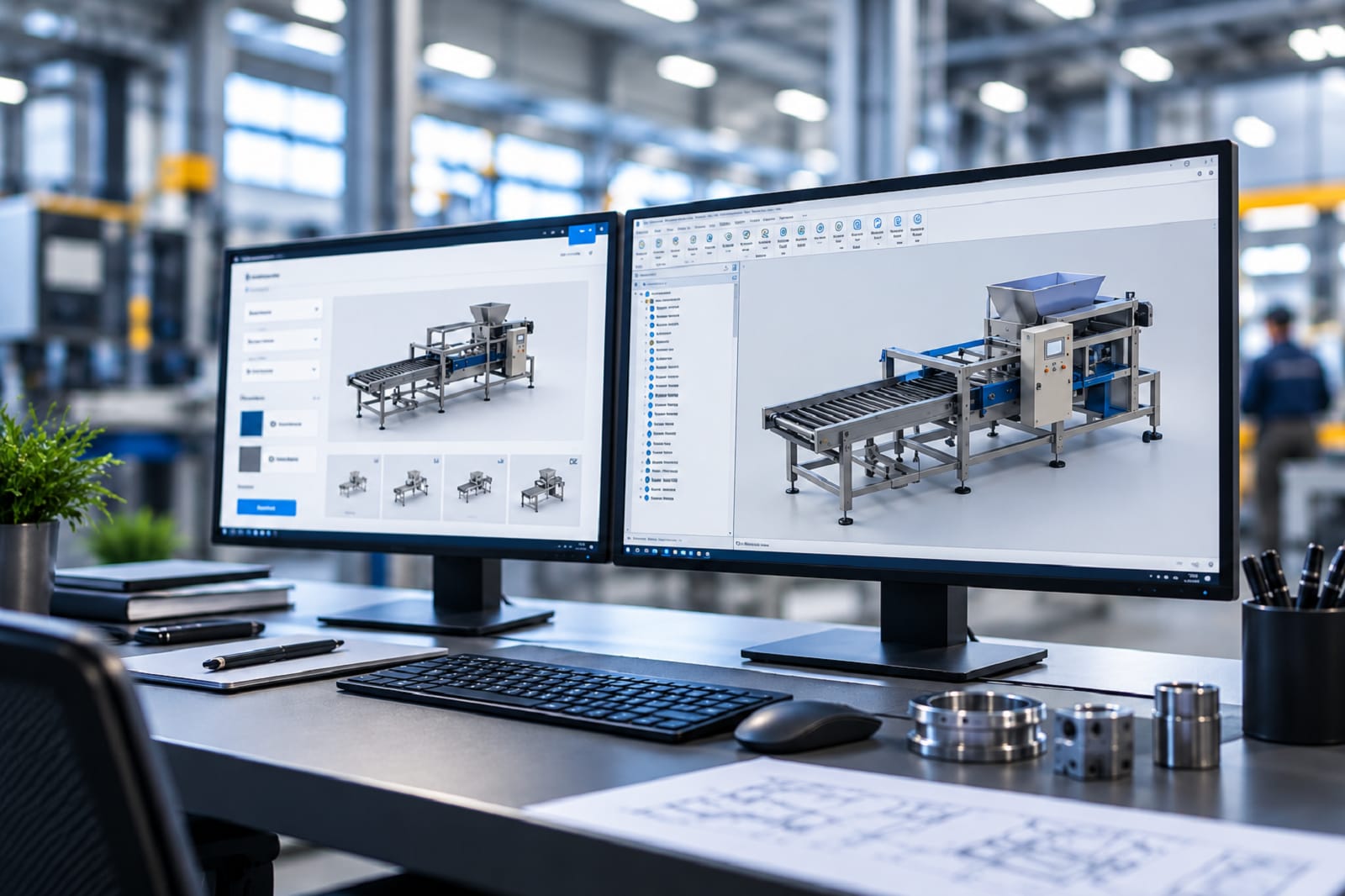
Most engineering teams reach this decision the same way. Quoting takes too long, engineers keep rebuilding the same assembly with different dimensions, and someone suggests a configurator. Then the question splits in two: license a proven platform like DriveWorks, or commission software built around your process?
Both can work, and the deciding factor is not price. It is how your product logic behaves. This article walks through the decision the way an engineering director or CAD manager actually has to make it: what each option really is, the five signals that point one way or the other, how to gather that evidence from your own order data, what drives cost on each side, and when a hybrid beats both.
A note on where this comes from: DevWorks Automation implements and supports DriveWorks and also builds custom configurators and manufacturing software. DriveWorks is third-party SOLIDWORKS software, not a DevWorks product. We have no incentive to push you toward either answer, which is unusual in this comparison, because most articles on it are written by companies that only sell one of the two.
Which One Fits Your Engineering Team?
If your engineering team primarily configures pre-built SOLIDWORKS models using rules, dimensions and validated options, DriveWorks is usually the better fit. If the system must perform engineering calculations, generate new geometry, support multiple CAD platforms or provide a fully bespoke customer experience, a custom configurator is usually the better choice.
If both descriptions partly fit, you are probably looking at a hybrid, which is covered further down.
DriveWorks vs Custom Configurator: Key Differences
Choose DriveWorks If:
- Your models are already built in SOLIDWORKS.
- Most variations are dimensional or configuration changes.
- Your product logic is primarily rules, formulas and lookups.
- You want a faster route to implementation.
- Internal, dealer or sales configuration is the primary use case.
Choose a Custom Configurator If:
- Geometry must be generated rather than selected.
- Engineering calculations determine the design.
- Multiple CAD platforms must be supported.
- You need a completely bespoke customer experience.
- The configurator is becoming a core software product.
Choose a Hybrid If:
- DriveWorks can handle CAD generation but not all of your business logic.
- You need custom calculations or a custom web experience.
- You want to retain DriveWorks for SOLIDWORKS automation.
What You Are Actually Choosing Between
These are not two versions of the same thing. They are different categories of purchase.
DriveWorks
DriveWorks is rules-based design automation and configurator software for SOLIDWORKS. Product knowledge that engineers apply manually gets captured as rules, and those rules drive a master model to produce order-specific parts, assemblies, drawings, BOMs, cut lists and sales documents.
It comes in three tiers: DriveWorksXpress, included free inside SOLIDWORKS; DriveWorks Solo, an add-in for part, assembly and drawing automation; and DriveWorks Pro, which is modular. Pro splits into Administrator (build and maintain the rules), User (run projects on additional machines), Autopilot (unattended generation on a server) and Live (the browser-based configurator for sales teams, dealers and customers). DriveWorks does not publish list pricing; it is quoted through authorized resellers.
What you buy is a tool. Someone still has to build the configurator with it, which is the work covered by DevWorks Implementation services for the DriveWorks product.
A Custom Configurator
A custom configurator is software written for your product, your rules and your systems. There is no template framework to fit inside, so the interface, the logic, the CAD generation and the integrations are all designed rather than configured. You typically own the source code by contract.
What you buy is a finished system. The build effort is quoted up front instead of absorbed by your team.
The trade is straightforward: DriveWorks gives you a proven, supported engine with a defined shape. Custom gives you a tailored fit to your product and needs, without the subscription overhead.
Five Signals That Decide It
Run your own product through these. Any one of them can be decisive on its own.
1. Can Every Variant Come From a Model You Build in Advance?
This is the single most important question, and it is where most teams get their answer.
Rules-based configuration works by driving a pre-built master model: setting dimensions, suppressing or unsuppressing pre-modeled features and components, swapping configurations you defined earlier. Given the same inputs it produces the same outputs, reliably.
That is a genuine strength, and it has a boundary. If a variant needs structure that was never modeled, the rules-based route means modeling that case in advance too. When the number of cases you have to model first grows faster than the number of rules, you have crossed out of the platform's natural territory.
Ask: could an experienced engineer, in principle, produce every order you took last year by adjusting one master model per product family? If yes, DriveWorks fits. If several orders required genuinely new topology, custom generation deserves a look.
2. Does Valid Output Depend on Calculating, or on Selecting?
Rules engines handle substantial mathematics, conditional logic and lookups. What they are not built for is iterative numerical work: sizing a member against a load until it passes, checking against a design code, optimizing for weight or cost, running a solver and feeding the result back into geometry.
If your engineers currently open a spreadsheet, a calculation sheet or an FEA package before they can say what the part should be, a rules-and-templates approach will either push that work outside the configurator or force you to reimplement it inside a system that was not designed for it. That logic sits more naturally in custom code, or in a calculation service alongside the configurator.
If your engineers pick from a catalog of validated options, you are firmly in configuration territory.
3. How Many CAD Platforms Are in Scope?
DriveWorks is designed for SOLIDWORKS. Any machine that generates SOLIDWORKS output needs its own SOLIDWORKS license, including an unattended Autopilot server. Browser users configuring through DriveWorks Live do not need one.
If your engineering data is entirely in SOLIDWORKS and will stay there, this is a non-issue. If you also run Inventor, Solid Edge or AutoCAD, and one system has to generate native output for more than one of them, a multi-CAD architecture becomes relevant, and that is a custom build.
4. What Is Your Exception Rate?
This is the number almost nobody measures before they buy, and it predicts more than any feature list.
Pull the last twelve months of order lines. Sort them into three buckets: standard catalog configurations, configurations that needed engineering review but no new design, and orders that needed real design work. The third bucket is your exception rate.
A low exception rate means your product is genuinely configurable and a rules engine will cover most of your volume. A high exception rate means either your process is not ready to be automated yet, or the automation needs to handle engineering decisions rather than product selections. Automating a process with a 40% exception rate produces a configurator that engineering routes around, and that outcome is independent of which tool you picked.
5. Who Uses It, Where, and How Much Does It Matter That It Looks Like You?
An internal tool used by ten sales engineers has different requirements from a public configurator on your website that a prospect will use to judge whether your company is serious.
DriveWorks Live is themeable within its own form framework and carries CSS and custom HTML, so it can wear your branding to a point. Web access is licensed by concurrent sessions, so heavy public usage is a licensing conversation as well as a technical one. A custom web application has no framework to fit inside and no per-session application license, but you are then responsible for the front end, the hosting and the uptime.
Internal or dealer use, modest concurrency: the platform route is usually fine. Public, high-traffic, brand-critical: model the concurrency before you decide, and weigh it against a build.
How to Gather the Evidence in About a Week
You can answer all five questions with data you already have. This is worth doing before you take a single demo, because it changes what you ask vendors.
- Export twelve months of order lines from your ERP, with product family and configuration detail.
- Classify each line into the three buckets from signal four. Two engineers can usually do this in a day for a few hundred lines.
- Pick your top two product families by volume and have an engineer list every input a customer or salesperson would have to supply to define an order completely. That list is your future configurator form, and its length is a good proxy for rule complexity.
- For those same families, write down every calculation that happens between the inputs and the released drawing. Mark which ones are lookups, which are formulas, and which are iterative. Signal two is answered by that third column.
- Count the master models you would need to pre-build to cover 80% of volume. If the number is small, configuration is a good fit. If it keeps growing as you work through the list, that is signal one telling you something.
- Name the owner. Whoever will maintain rules and models after go-live should be in the room for all of the above. If nobody can be named, fix that before choosing a tool.
Teams that walk into vendor conversations with these six answers get much better advice, including from us.
DriveWorks vs Custom Configurator Cost
Nobody publishes real numbers for either option, because both depend on scope. What you can do is compare the shape of the cost.
DriveWorks costs include: the modules you need (a configurator customers use on the web is not one module, it is Administrator plus Autopilot plus Live), annual subscription for support and updates, a SOLIDWORKS seat on every generating machine including the server, and the implementation labour to capture models, write rules and build forms. That last line is the one most often left out of the budget, whether you staff it internally or pay a partner.
Custom configurator costs include: the initial software build, hosting and infrastructure, and ongoing maintenance as products change. No per-module, per-seat or per-session software licensing, but no vendor absorbing platform maintenance either.
Two practical points. First, compare like with like: the price of a single DriveWorks module against a complete custom system is not a comparison. Total the full stack you would actually deploy, add the SOLIDWORKS seats, add year-one implementation, then put it next to a fixed quote for a build. Second, get your own numbers from a reseller for your configuration, because pricing varies by region, reseller and licensing model.
For many straightforward SOLIDWORKS configuration projects, a licensed platform is likely to be more cost-effective than building equivalent functionality from scratch. That is the baseline. A custom build has to justify a higher price by doing something the platform cannot, which is why signals one, two and three matter more than the spreadsheet.
When to Combine DriveWorks and Custom Software
The choice is not always one or the other. DriveWorks exposes documented APIs and integrations and connects to external systems including ERP, CRM and SOLIDWORKS PDM, which means it can sit inside a larger architecture.
A common shape looks like this: a custom, fully branded web front end takes the customer order; a custom calculation service handles sizing, code compliance or optimization; DriveWorks drives SOLIDWORKS to generate the models, drawings and BOM; and the results flow into ERP and PDM. Building that middle layer well is the difference between a hybrid that holds together and one that becomes two systems nobody owns, which is why product configuration automation should be scoped as one workflow rather than as separate tools.
You buy the platform for the part it does best and build only the parts that genuinely need building. For teams whose answers to the five signals came out mixed, this is often the right architecture rather than a compromise.
Where DriveWorks and Custom Configurators Can Go Wrong
Both routes fail in predictable ways, and the failures have more to do with process than software.
The platform route usually fails when nobody owns the rules after go-live, when the master models were built by someone who has since left, when heavily interdependent assemblies and exception-heavy product families make maintenance harder than expected, or when a low-code rule set quietly grows into something that needs versioning, testing and traceability without ever getting them. At that point you are doing software engineering inside a tool not designed for it.
The custom route usually fails when the requirements were never pinned down, when the product logic turns out to be undocumented tribal knowledge, when one contractor holds all the context, or when maintenance is treated as optional. Owning the source code is only an advantage if the code is documented well enough that more than one person can work on it.
Neither list is an argument against either option. They are the reasons to make the maintenance plan explicit before you commit to either path.
DriveWorks vs Custom Configurator: Comparison
| Dimension | DriveWorks | Custom Configurator |
|---|---|---|
| What you buy | A licensed platform to build a configurator with | A finished system built for your process |
| Best-fit logic | Rules, lookups and dimensional variation on pre-built masters | Calculation-driven, generative or solver-dependent output |
| CAD scope | SOLIDWORKS; a seat on every generating machine | Can be architected across multiple CAD platforms |
| Front end | Themeable within the DriveWorks Live framework | Fully bespoke UX and branding |
| Web access | Licensed by concurrent sessions | No per-session application licence; you own hosting |
| Who builds it | Your DriveWorks-trained engineer or an implementation partner | Delivered built by your development partner |
| Who maintains it | Needs DriveWorks and SOLIDWORKS modeling skills in-house or on retainer | Documented code that a wider pool of developers can maintain |
| Cost shape | Module licences plus annual support plus implementation | One-time build plus hosting and maintenance |
| Time to first value | Faster for a well-scoped, in-scope product family | Longer, but scoped to exactly what you need |
| Main risk | Outgrowing the template model | Under-specified requirements and maintenance drift |
How to Choose the Right Configurator
The decision comes down to a question about your product, not about software: does configuring an order mean selecting from validated options, or deciding what the design should be?
Selecting points to DevWorks Implementation services for the DriveWorks product, where you get a proven engine, a support path and a faster route to a working configurator. Deciding points to custom software development, where the logic can be whatever your engineering requires. A mix of both points to a hybrid, which is often the strongest answer for teams with one straightforward product line and one difficult one.
Whichever way it lands, the deciding evidence is in your own order history and your own product rules, not in a feature comparison. Gather it first.
Working through this decision for a specific product line? Talk to DevWorks about your configuration rules, exception rate and integration requirements. We implement DriveWorks and build custom configurators, so the conversation starts with your workflow rather than a product recommendation. It is also worth reading what DriveWorks is and where it fits and, if you are leaning toward the platform, the pitfalls that derail DriveWorks rollouts.
Frequently Asked Questions
1. What Is the Difference Between DriveWorks and a Custom Configurator?
DriveWorks uses rules to automate pre-built SOLIDWORKS models. A custom configurator is built around your specific product logic, CAD requirements and integrations.
2. What Is the Difference Between DriveWorks Solo and DriveWorks Pro?
DriveWorks Solo is suited to automating parts, assemblies and drawings on a SOLIDWORKS workstation. DriveWorks Pro adds tools for multi-user, server-based and browser-based configuration.
3. Can DriveWorks Handle Engineering Calculations?
Yes, DriveWorks can handle formulas, rules and conditional logic. Complex iterative calculations, optimization and solver-based tasks may require a custom solution.
4. Do Customers Need a SOLIDWORKS License to Use DriveWorks?
No. Customers can use DriveWorks Live through a browser, while SOLIDWORKS licenses are needed on machines that generate the CAD output.
5. Can DriveWorks Integrate with ERP, CRM and PDM Systems?
Yes. DriveWorks supports integrations through databases, web services and integration tools, including connections with systems such as ERP, CRM and SOLIDWORKS PDM.
6. Is a Custom Configurator Always More Expensive Than DriveWorks?
No. DriveWorks is often more cost-effective for straightforward SOLIDWORKS configuration, while custom development can make more sense for complex calculations, multi-CAD support or bespoke requirements.
7. Can You Start with DriveWorks and Move to a Custom Configurator Later?
Yes. Starting with DriveWorks can help prove your configuration process before investing in a custom system.